
How to Find Out Your Own Fax Number
Your fax number appears on your machine's display, in your online fax account dashboard, or on past fax headers. This guide covers both traditional and online methods.
Quick Verdict
Your fax number is typically displayed on your fax machine’s LCD screen, listed in your online fax service account settings, or printed on documentation from your service provider. If you have a traditional fax machine, check the control panel display first. If you use an online fax service, log into your account dashboard—the number usually appears immediately after login.
How to Find Your Fax Number
The method depends on whether you’re using a traditional fax machine or an online fax service. Traditional machines store the number in the device itself, while online services display it in your account dashboard or profile section.
Finding Your Fax Number on a Traditional Fax Machine
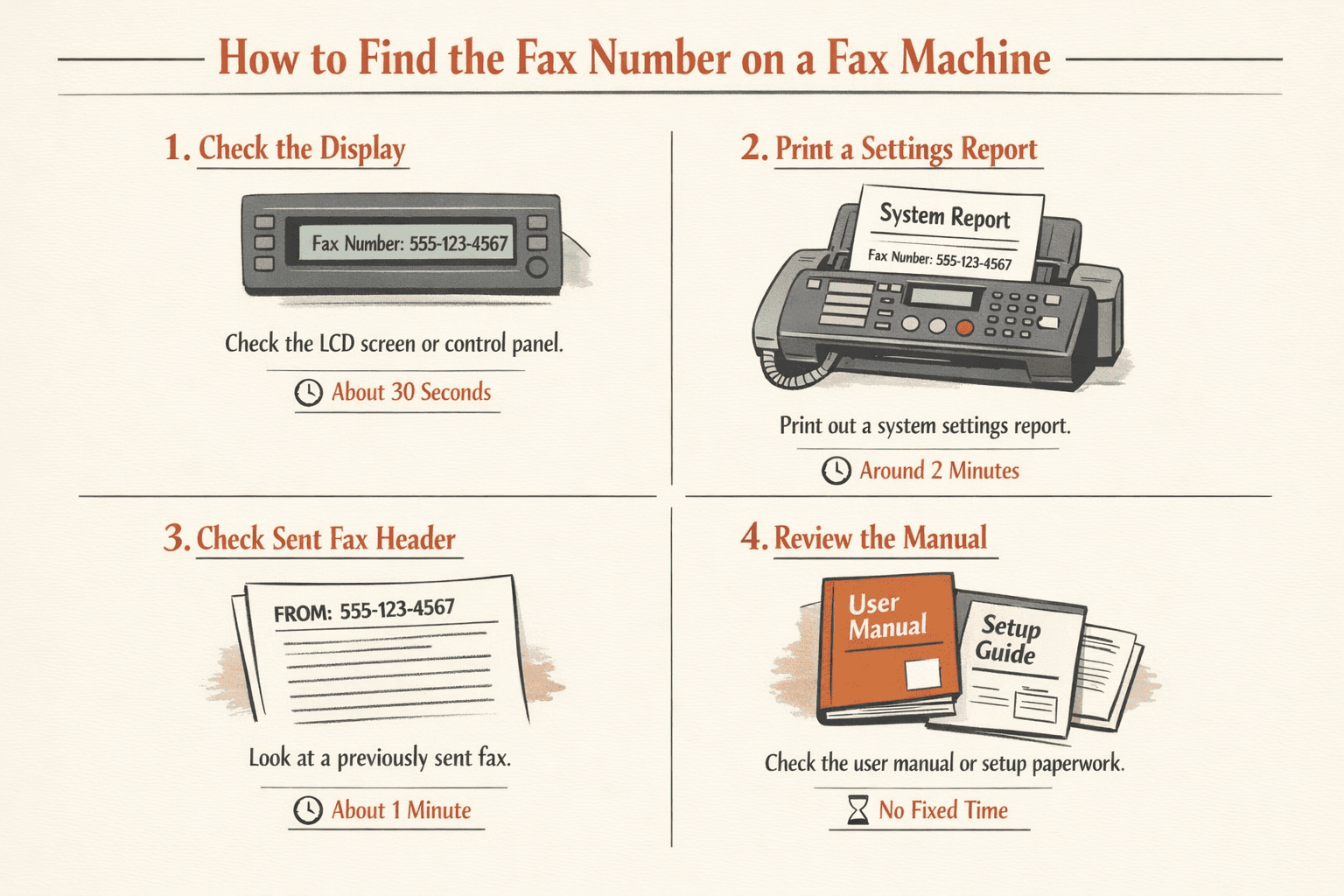
- Check the LCD display or control panel (30 seconds): Most fax machines show the assigned number on the main screen or under a menu like “Setup” or “Fax Settings.” On HP models, navigate to Machine Setup > Application Settings > Fax Settings > Machine ID & Fax No.
- Print a system settings report (2 minutes): If the number isn’t visible on-screen, print a configuration page from the Setup or Fax menu. HP, Epson, and Brother machines can all print fax reports that include your fax number, page count, and transmission history.
- Check previously sent faxes (1 minute): Look at the header on any fax you’ve sent recently. Many fax machines automatically print the sender’s fax number at the top of outgoing transmissions—in some countries, this is legally required.
- Review your user manual or setup paperwork: The fax number may be recorded on initial setup documents or in the configuration section of your machine’s manual.
Note: The exact menu path varies by manufacturer. Brother, Canon, HP, and Epson models organize settings differently, so consult your specific model’s documentation if you can’t locate the display quickly.
Finding Your Fax Number for Online Fax Services
- Log into your account dashboard (1 minute): Open your fax service provider’s website or mobile app and sign in. The fax number usually appears immediately—often in the sidebar, header, or account summary.
- Navigate to account settings or profile (1 minute): If the number isn’t visible on the main screen, check Settings, Profile, or Account Details. Most services list your assigned fax number alongside your email and contact information.
- Check your welcome or confirmation email (2 minutes): When you signed up, your provider sent a confirmation email with account details. Search your inbox for emails from your fax service—the number is typically included in setup or activation messages.
- Review team or admin settings (workplace accounts): If your fax number is managed at the team level, sign in as an admin. For example, Dropbox Fax team admins can view fax lines assigned to members in the Team tab.
| Service | Where to Find Your Number |
|---|---|
| Dropbox Fax | Left sidebar immediately after login |
| eFax | Account dashboard or sign-in screen (you log in with your fax number) |
| Fax.Plus | Account settings under Profile or Dashboard |
| RingCentral Fax | Dashboard home screen or Settings > Fax Numbers |
| MyFax | Account overview page after login |
What Is My Fax Number
A fax number is the unique identifier assigned to your fax machine or online fax account. It functions like a phone number but routes messages to fax transmission systems instead of voice calls. In North America, fax numbers follow the 10-digit phone number format—area code plus local number—while international fax numbers include country codes.
- Format matches phone numbers: Area code + exchange + line number (e.g., 555-123-4567)
- May be the same as a phone line: Traditional fax machines often share a number with a landline, though separate lines are recommended for reliability
- Always unique and assigned: Your telecom provider or online fax service issues one specific number per fax line
- Can include extensions: Business phone systems may route faxes to extensions rather than dedicated lines

Where Else to Look for Your Fax Number
Beyond the fax machine or service dashboard, your fax number may appear in several other places:
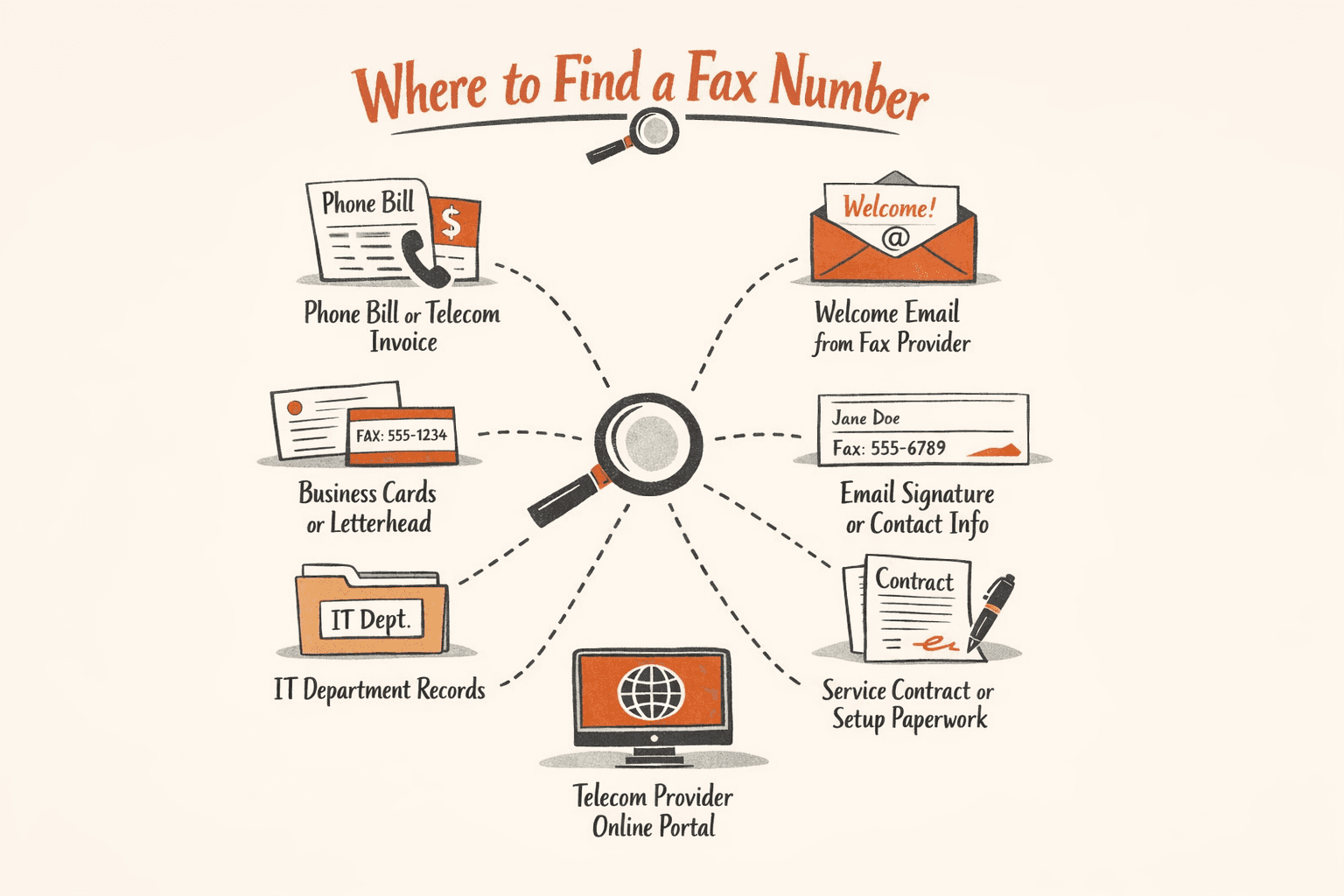
- Phone bill or telecom invoice: Traditional fax lines appear on monthly statements from your phone service provider—look for line descriptions or account numbers tied to fax service
- Welcome email from your fax provider: Search your inbox for setup or activation emails—online fax services include your assigned number in confirmation messages
- Business cards or letterhead: If your fax number is printed on company materials, check stationery, cards, or email signature blocks
- Email signature or contact info: Many professionals list their fax number alongside phone and email in automatic signatures
- IT department records: In workplace environments, your IT team or office manager likely maintains a list of assigned fax numbers
- Service contract or setup paperwork: Review your original fax service agreement or account setup documents
- Telecom provider’s online portal: Log into your phone company’s account management system—fax line details may be listed under services or billing
What to Do If You Still Can’t Find Your Fax Number
- Contact your fax service provider (5-10 minutes): Call or email customer support with your account details. They can confirm whether you have an active fax line and provide the number.
- Check with your IT department or office manager (workplace context): In business environments, fax numbers are often centrally managed. Your IT team can tell you which number is assigned to your desk or department.
- Review your telecom provider’s account history (10-15 minutes): If you have a traditional fax line, log into your phone company’s online portal or call billing support to confirm active fax services and associated numbers.
- Verify that you actually have a fax number assigned: Not all accounts or devices include fax capability. If you’re on a free plan with an online fax service, you may not have an inbound fax line—paid subscriptions are typically required for a dedicated number.
Important distinction: Not finding your fax number is different from not having one. Some situations where a number may not exist:
- Free online fax accounts: Services like Dropbox Fax only assign fax numbers to paid subscribers—free plans allow sending but not receiving
- Standard phone or VoIP lines: Regular phone service doesn’t automatically include fax capability—you need specific hardware or software to send and receive faxes
- Printers without phone line connection: A fax-capable printer still requires a traditional landline or online fax service to function—the printer alone doesn’t generate a number
- Ported or transferred numbers: If you recently switched providers, your number may have moved—contact both the old and new provider to confirm where it’s now registered

FAQ
Do I Have a Fax Number?
You only have a fax number if you’ve specifically set up fax service—either through a traditional phone line with fax capability, a dedicated fax machine line, or an online fax service subscription. Standard phone numbers, cell phone numbers, and email addresses don’t function as fax numbers without additional configuration.
You have a fax number if:
- You own a physical fax machine connected to a phone line: The number is assigned by your telecom provider and routes to the machine
- You’ve subscribed to an online fax service: Providers like eFax, Fax.Plus, and RingCentral assign a dedicated virtual number when you create a paid account
- Your business phone system includes fax capability: Some VoIP or unified communications platforms offer fax as a feature—check with your IT department to confirm
If you need to send a single fax right now and don’t have a fax number, services like ThirtyFax let you send without creating an account or subscribing—pay once, send immediately, no ongoing commitment.

Written by
Bernard Bado
I created ThirtyFax after needing to send a single fax and refusing to pay for a monthly subscription to do it. I write here about faxing, document workflows, and the surprisingly stubborn role fax still plays in modern business.
View author profile