
Does Walmart Fax? (Plus Alternatives)
Walmart doesn't offer fax services at any location. Use online fax services like ThirtyFax, or visit FedEx Office, UPS Store, or Office Depot instead.
Quick Verdict
No, Walmart doesn’t offer fax services at any of its locations—you won’t find fax machines available for customer use at Supercenters, Neighborhood Markets, or Walmart Express stores. If you need to send a fax, you’ll need to use an alternative like an online fax service or a retail store that still offers faxing.
Does Walmart Have a Fax Machine?
Walmart stores don’t have fax machines available for public use. This applies across all Walmart locations—Supercenters, Neighborhood Markets, and Walmart Express stores alike.
While Walmart does sell fax machines and fax-capable printers online and in some stores, that’s different from offering faxing as a customer service. You can buy the equipment, but you can’t walk into a Walmart and send a fax.
Why Walmart Doesn’t Offer Fax Services
Walmart prioritizes higher-demand services like money transfers, check cashing, pharmacy, auto care, and photo printing—services that more customers use regularly. Faxing has declined sharply as a public service since email, scanning, and document-sharing apps became the norm.
Store space is valuable, and dedicating floor space to a low-demand service like walk-in faxing doesn’t make practical sense when most people now prefer digital alternatives. Walmart’s service lineup reflects what customers actually need day-to-day, and faxing just isn’t on that list anymore.

Alternatives to Faxing at Walmart
Since Walmart doesn’t offer faxing, here’s where you can send a fax instead.
Online Fax Services
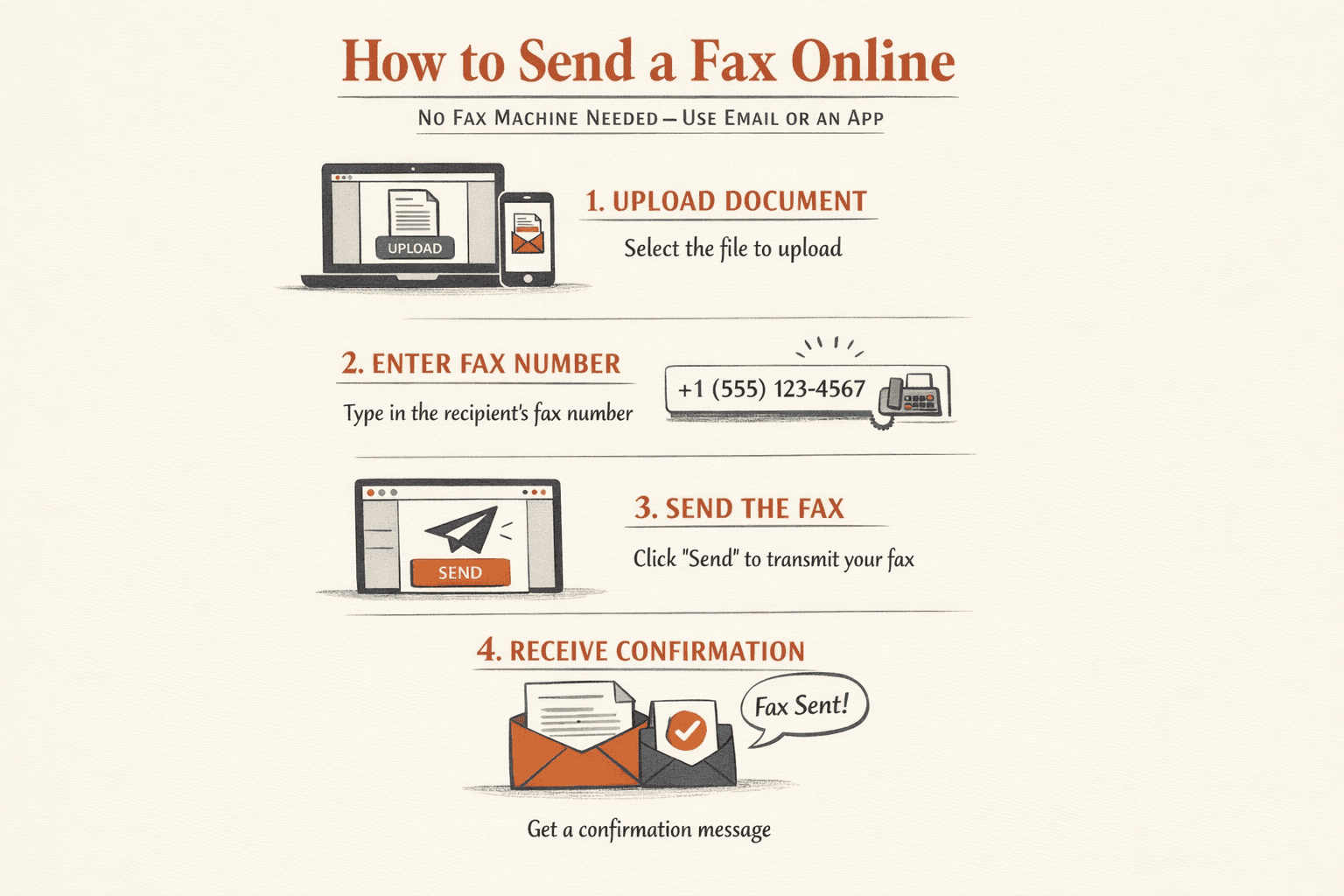
Online fax services let you send and receive faxes via email or app without needing a physical fax machine. You upload your document, enter the recipient’s fax number, and hit send—it’s faster and more convenient than driving to a store.
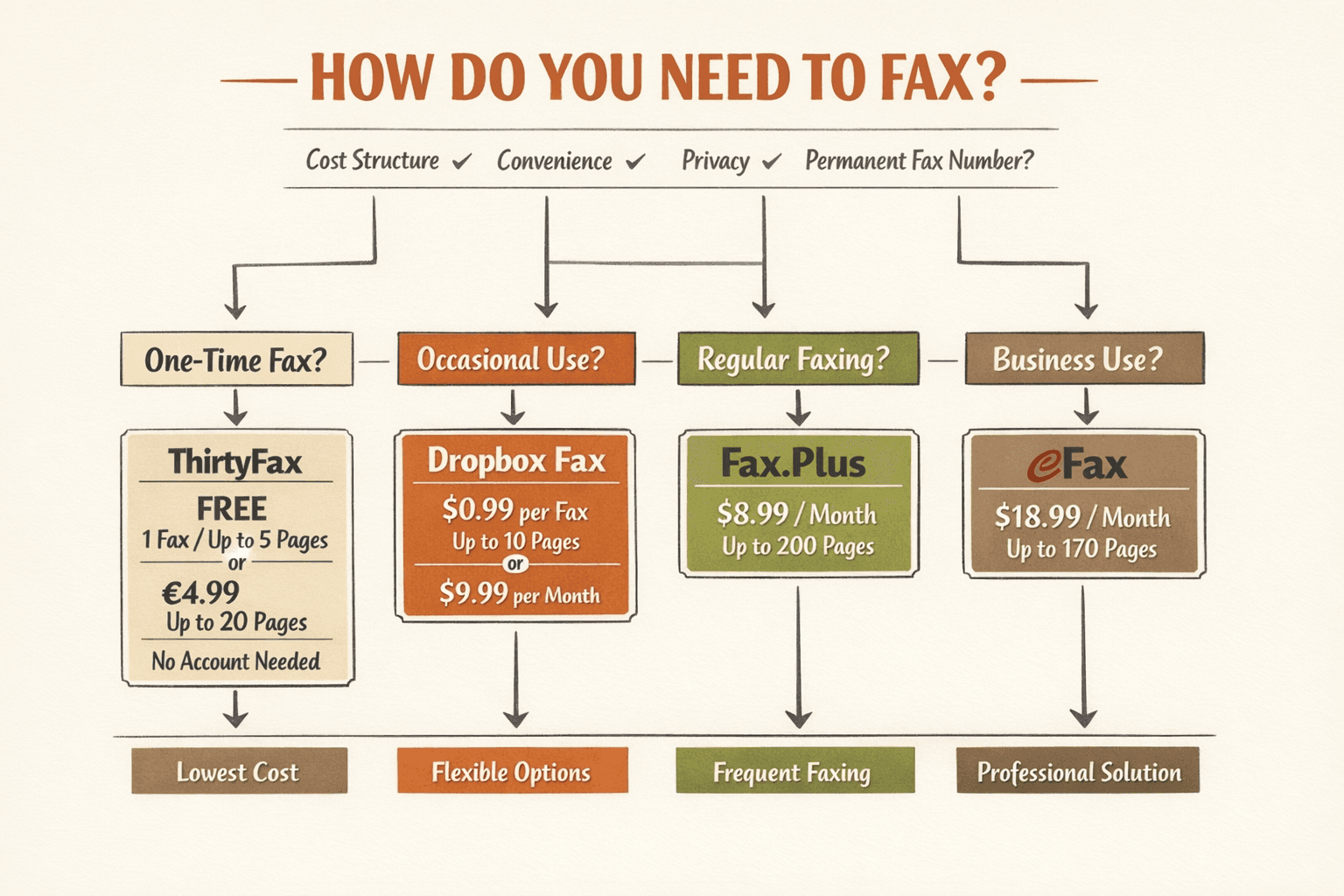
Most services offer monthly subscriptions, but if you only need to send one fax, ThirtyFax is worth considering—it’s a pay-once service with no account required. You get one free fax (up to 5 pages), or you can pay a flat €4.99 for up to 20 pages with no branding.
Here’s a quick comparison of popular online fax services:
| Service | Cost | Key Features | Best For |
|---|---|---|---|
| ThirtyFax | Free (1 fax, 5 pages) or €4.99 flat | No account, no subscription, instant sending | One-time faxing |
| Dropbox Fax | $0.99/fax (up to 10 pages) or $9.99/mo | Cloud integrations, 5 free pages | Occasional use, Dropbox users |
| Fax.Plus | $8.99/mo (200 pages) | Modern UI, integrations, HIPAA with BAA | SMBs needing regular faxing |
| eFax | $18.99/mo (170 pages) | Local/toll-free numbers, e-signing | Mainstream business use |
Pros:
- Send from anywhere—no need to visit a store
- Digital records of everything you send
- Faster than traditional faxing
- Some services offer HIPAA compliance for medical documents
Cons:
- Most require monthly subscriptions (unless you use pay-per-fax options)
- You need internet access
- Learning curve if you’ve never used one before
Retail Stores That Offer Fax Services
If you prefer sending a fax in person, several retail chains still offer walk-in fax services:
- FedEx Office — Send and receive faxes using self-service copiers, no account required. Pricing varies by location (typically $1-2 per page).
- The UPS Store — Offers fax services at more than 5,500 locations nationwide. Typical cost is $1-2 per page for domestic faxing.
- Office Depot/OfficeMax — In-store self-service printers support local, domestic, and international faxing. Pricing varies by store.
- Staples — Select locations offer fax services at the print counter. Call ahead to confirm availability and pricing.
Pro tip: Call your local store before heading over—not every location has working fax equipment, and per-page pricing can vary.
Libraries and Community Centers
Some public libraries and community centers offer free or low-cost fax services. Availability varies widely by location—some branches have dedicated fax machines, while others may help you scan and email documents instead.
99.2% of public libraries provide internet access and document-related services, so they’re worth checking if you need an affordable option. Call your local branch to ask about fax availability before visiting.

Your Home or Office Fax Machine
If you already have a fax machine at home or work, you can use that. Traditional fax machines are less common now—most people have switched to digital alternatives—but they’re still functional if you have one gathering dust in a closet.
Just keep in mind that fax machines require a phone line, toner or ink, and paper. For one-time use, an online service or retail store is usually easier.
How to Choose the Best Fax Alternative
Pick your fax method based on how often you need to send documents, your budget, and whether you need ongoing access.
For one-time faxing, pay-per-fax options like ThirtyFax or retail stores are your best bet—no subscription, no commitment, just send and move on. If you fax regularly (more than a few times per month), a monthly subscription service like Fax.Plus or eFax makes more financial sense.
Here’s what to consider:
- Cost structure — Pay-per-fax works for occasional use; monthly subscriptions make sense for regular faxing
- Convenience — Online services let you fax from anywhere; retail stores require a trip but need no setup
- Privacy — Online services keep digital records (check each provider’s privacy policy); retail stores may leave paper trails at public machines
- Permanent fax number — If you need to receive faxes, you’ll need a subscription service with a dedicated number
Conclusion
Walmart doesn’t offer fax services, so you’ll need to look elsewhere. For one-time faxing, online services like ThirtyFax or retail stores like FedEx Office and The UPS Store are your best options. For regular faxing, a monthly subscription service makes more financial sense.
Choose based on your frequency and budget—pay once for occasional use, subscribe if you fax regularly.
FAQ
Can You Fax at Walmart?
No, Walmart does not offer fax services and does not have fax machines available for customer use.
Does Walmart Fax Documents?
No, Walmart does not fax documents. You’ll need to use an alternative like an online fax service or a retail store such as FedEx Office or The UPS Store.
Can You Send a Fax at Walmart?
No, you cannot send a fax at Walmart because the stores do not have fax machines or fax services.
Does Walmart Have Fax Services?
No, Walmart does not have fax services at any location.

Written by
Bernard Bado
I created ThirtyFax after needing to send a single fax and refusing to pay for a monthly subscription to do it. I write here about faxing, document workflows, and the surprisingly stubborn role fax still plays in modern business.
View author profile