
Does The Post Office Fax?
USPS doesn't offer fax services, but The UPS Store does at 5,500+ locations. Online fax services like ThirtyFax let you send from your phone for free—no store visit needed.
Quick Verdict
No, the post office doesn’t fax. USPS locations don’t offer fax services—neither sending nor receiving. But you have options: The UPS Store has fax machines at over 5,500 locations, and online fax services let you send from your phone or computer without leaving home.
Does The Post Office Fax?
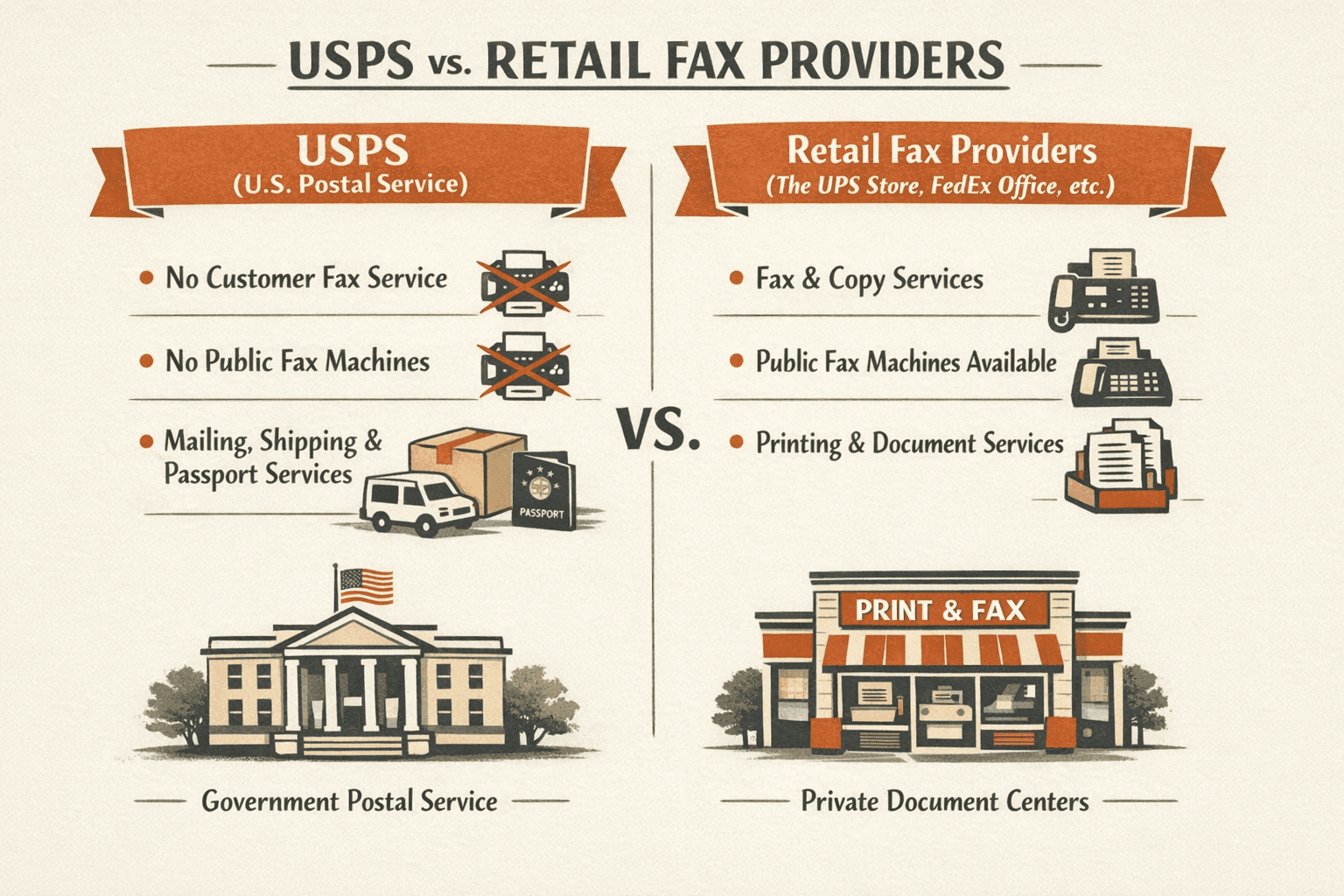
No. USPS locations don’t provide fax services to customers. This applies across all USPS branches—retail counters, self-service kiosks, and passport centers included. The Post Office focuses exclusively on mailing, shipping, and passport services.
Here’s why USPS doesn’t offer faxing:
- Different business model — USPS is a postal service, not a document service provider
- No equipment infrastructure — Post Offices aren’t equipped with public-facing fax machines
- Service focus — Resources go toward mail delivery, package tracking, and shipping logistics
- Alternative providers exist — Private shipping stores and online services fill the fax service gap
Can You Fax at The Post Office?
No—there’s no way to send or receive faxes at USPS. Self-service kiosks handle postal transactions like buying stamps and printing shipping labels, but faxing isn’t one of them. This surprises people because some Post Offices offer passport photos and notary services, but fax machines aren’t part of the setup.
Important distinction: Some private mailbox and shipping stores operate near Post Offices and may offer fax services—but these aren’t USPS facilities. They’re separate businesses like The UPS Store or FedEx Office.
UPS Store Fax Services
The UPS Store offers fax services at its retail locations—making it the most accessible in-person fax option nationwide. With over 5,500 stores, there’s likely one near you. Unlike USPS, UPS Store locations are set up to handle document services including faxing, printing, and scanning.
What UPS Store Fax Services Include
UPS Store fax services cover everything you’d expect from a retail fax provider:
- Sending faxes — Domestic and international
- Receiving faxes — Have documents sent to the store for pickup
- Document preparation — Staff can help format or organize multi-page faxes
- Transmission confirmation — Proof of delivery for sent faxes
- Counter assistance — Team members available to answer questions and troubleshoot
UPS Store Fax Pricing
UPS Store fax pricing varies by location because stores are independently owned. Expect to pay per page for both sending and receiving.
| Service Type | Typical Price Range |
|---|---|
| Domestic sending (per page) | $1.50 – $2.50 |
| International sending (per page) | $3.00 – $5.00 |
| Receiving faxes (per page) | $1.00 – $2.00 |
Call ahead for exact pricing. Because UPS Store locations are franchises, rates differ by store. Asking about fax pricing when you call also confirms the store has working equipment before you drive over.
How to Fax at a UPS Store
Faxing at The UPS Store is straightforward—here’s the process:
- Find a nearby location (5 minutes): Use The UPS Store locator to search by ZIP code. Call ahead to confirm fax service availability and pricing.
- Prepare your documents: Make sure pages are in order and clearly printed or written. Bring the recipient’s fax number with you.
- Visit the counter: Hand your documents to the staff along with the recipient’s fax number. They’ll handle the transmission.
- Provide any special instructions: Tell the team if you need a cover page, want confirmation, or have multiple recipients.
- Pay and get confirmation: After the fax sends, you’ll receive a printed confirmation slip showing delivery status.

Other Places That Offer Fax Services
The UPS Store isn’t your only retail option. Several chains provide walk-in fax services:
- FedEx Office — Self-service fax machines at most locations; handles local, long-distance, and international faxing with printed confirmations
- Office Depot/OfficeMax — In-store self-service printers support secure faxing alongside printing and scanning
- Staples — Copy, print, scan, and fax available through self-service printers in one place
- Local print shops — Independent printing businesses often offer fax services at competitive rates
- Public libraries — Some library systems provide self-service faxing, though availability varies widely by location
Online Fax Services as an Alternative
Online fax services let you send faxes from your phone, tablet, or computer—no retail store required. You upload a document, enter a fax number, and hit send. The service converts your file to fax format and transmits it over the phone network. It’s faster than driving to a store and cheaper if you need to send multiple pages.
Benefits of Online Fax Services
Online faxing has clear advantages over retail locations:
- 24/7 availability — Send faxes at midnight on Sunday if you want
- No travel required — Handle everything from your couch or office
- Lower per-page cost — Most services charge $0.03–$0.10/page vs. $1.50–$2.50 at retail stores
- Digital storage — Sent and received faxes are archived automatically
- Fax from any device — Works on iPhone, Android, Mac, Windows, or web browser
- No printing needed — Send PDFs directly without creating paper copies first
For one-time faxing, ThirtyFax offers the cleanest workflow: send one fax (up to 5 pages) for free with no account required. Need more pages? Pay €4.99 flat for up to 20 pages. No subscription, no recurring charges, no surprises.
How Online Fax Services Work
The process is simple—most services follow the same three-step flow:
- Upload your document: Drag and drop a PDF, Word doc, or image file into the fax service
- Enter the recipient’s fax number: Include the area code for domestic faxes; add country code for international
- Send and confirm: Hit send and receive a digital confirmation when delivery completes

Recommended Online Fax Services
Multiple online fax providers exist with different pricing models and features. Here’s how the main options compare:
| Service | Starting Price | Free Trial | Key Feature |
|---|---|---|---|
| ThirtyFax | Free (1 fax, 5 pages) | N/A | No account required |
| Fax.Plus | $8.99/month | Yes (10 pages free) | Modern UI, integrations |
| Dropbox Fax | $9.99/month | 30 days | Cloud document access |
| eFax | $18.99/month | 14 days | Dedicated fax number |
If you’re faxing once and never again, ThirtyFax is the obvious choice—no account means no cancelled subscriptions later. For regular business faxing, Fax.Plus or Dropbox Fax make more sense.

Conclusion: Best Options for Faxing Without USPS
USPS doesn’t offer fax services, so don’t waste a trip to the Post Office if you need to send a fax. The UPS Store is your best retail option—5,500+ locations nationwide with staff who can help. Call ahead to confirm pricing since rates vary by store.
But for most people, online fax services are more convenient. ThirtyFax lets you send one fax (up to 5 pages) for free without creating an account—perfect if you’re faxing a lease, medical form, or contract once and never again. Need to send faxes regularly? A subscription service like Fax.Plus or Dropbox Fax makes more sense.
Bottom line: If you need to fax right now and have the document in front of you, use an online service. If you prefer walking into a store and handing someone paper, head to The UPS Store.
FAQ
Can I Fax at The Post Office?
No, USPS doesn’t offer fax services at any location. The Post Office handles mailing, shipping, and passport services—not document faxing. Your best retail option is The UPS Store, which has fax machines at over 5,500 locations nationwide. Or use an online fax service to skip the store entirely.
Does USPS Fax Documents?
No, USPS doesn’t fax documents. It’s easy to confuse USPS (United States Postal Service) with UPS (United Parcel Service), but they’re separate organizations. USPS is the government postal service. The UPS Store is a private retail chain that offers faxing as a store service.
Does The Post Office Have a Fax Machine?
USPS locations don’t have fax machines available for customer use. Some branches may have fax equipment for internal operations, but there’s no public-facing fax service. If you need to fax in person, visit The UPS Store, FedEx Office, or a local print shop instead.
Can You Send a Fax From The Post Office?
No, you can’t send faxes from USPS. The nearest alternative is usually The UPS Store—use their store locator to find a location near you. For immediate faxing without leaving home, online fax services work from any device with internet access.

Written by
Bernard Bado
I created ThirtyFax after needing to send a single fax and refusing to pay for a monthly subscription to do it. I write here about faxing, document workflows, and the surprisingly stubborn role fax still plays in modern business.
View author profile