
Does Staples Fax? Cost, Hours & How It Works
You don't need a fax machine to send documents. Staples offers self-service faxing at ~$1.50 for the first page. This guide covers pricing, step-by-step instructions, and hours.
Quick Verdict
Yes, Staples offers fax services at most store locations through self-service machines in their Print & Marketing area. You can send local, long-distance, and international faxes with printed confirmation. Pricing typically runs around $1.50 for the first page and $1.00 for each additional page, though rates can vary by location.
Fax services are available during regular store hours at Staples locations with a Business Center or self-service print area. You’ll use the in-store machines yourself—just bring your documents, enter the recipient’s fax number, and pay at the machine.
This guide covers everything you need: exact pricing, step-by-step instructions for sending a fax, what to bring, store hours, and alternatives if Staples isn’t the right fit.
How Much Does It Cost to Fax at Staples?
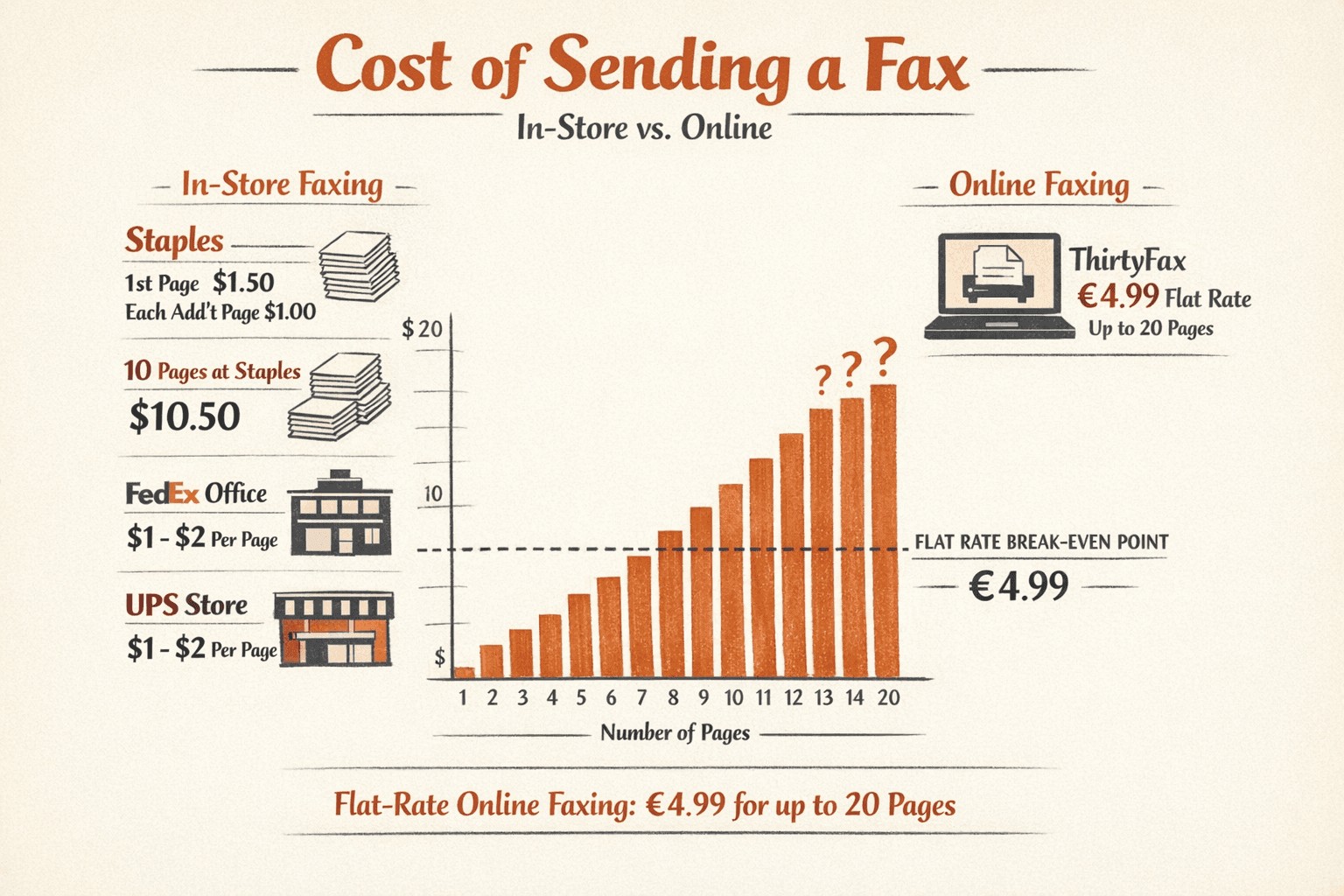
Faxing at Staples costs approximately $1.50 for the first page and $1.00 for each additional page for domestic faxes. Pricing is set locally and can vary by store, so it’s worth calling ahead if you’re sending a large document.
| Service Type | First Page | Additional Pages |
|---|---|---|
| Local/Domestic Fax | ~$1.50 | ~$1.00/page |
| International Fax | Varies by destination | Varies by destination |
| Receiving Faxes | Not available for walk-in customers | N/A |
Key pricing details:
- Payment is handled at the self-service machine—most locations accept credit/debit cards
- Tax may be added depending on your state
- International fax rates vary by country and are typically higher
- Multi-page documents are counted per physical page—a 10-page fax costs roughly $10.50
- No minimum charge beyond the first-page rate
Staples pricing is competitive with other in-person fax services. FedEx Office and UPS Store charge similar rates (typically $1-2 per page). For occasional one-time faxing, online options like ThirtyFax charge €4.99 flat for up to 20 pages with no account required—often cheaper if you’re sending more than 5-6 pages.
How to Fax at Staples
To fax at Staples, head to the self-service print machines in the store’s Print & Marketing area, load your documents, enter the recipient’s fax number, and pay at the machine. The entire process takes about 5-10 minutes.
Step-by-step:
- Locate the self-service machines (1 minute): Walk into any Staples with a Business Center or Print & Marketing area. The self-service machines are usually near the front or side of the store.
- Prepare your document (2 minutes): If you’re faxing paper originals, make sure pages are in order and free of staples or bindings. If you have a digital file, bring a USB drive or access it from Google Drive or Dropbox—the machines support both.
- Select “Fax” on the machine touchscreen (30 seconds): The main menu shows options for Copy, Print, Scan, and Fax. Tap Fax to start.
- Enter the recipient’s fax number (1 minute): Input the full 10-digit number for domestic faxes (area code + number). For international faxes, include the country code (e.g., +44 for UK).
- Load your pages into the document feeder (1 minute): Place your documents face-up in the automatic feeder. The machine will show you the page count before sending.
- Review the charge and pay (2 minutes): The screen displays the total cost based on page count. Swipe your card to pay. You’ll get a receipt and a printed fax confirmation.
- Keep your confirmation receipt (30 seconds): The machine prints a confirmation showing the recipient’s number, timestamp, and transmission status. Keep this for your records—especially if you’re sending legal or time-sensitive documents.

What You Need to Bring
Essential items:
- Your document — paper originals or a digital file on a USB drive
- Recipient’s fax number — complete with area code (domestic) or country code (international)
- Payment method — credit or debit card for the self-service machine
- Cloud login (optional) — if you’re accessing documents from Google Drive or Dropbox
Nice to have:
- Cover page (optional) — many machines let you add a basic cover sheet with recipient details and a message
Getting a Fax Confirmation
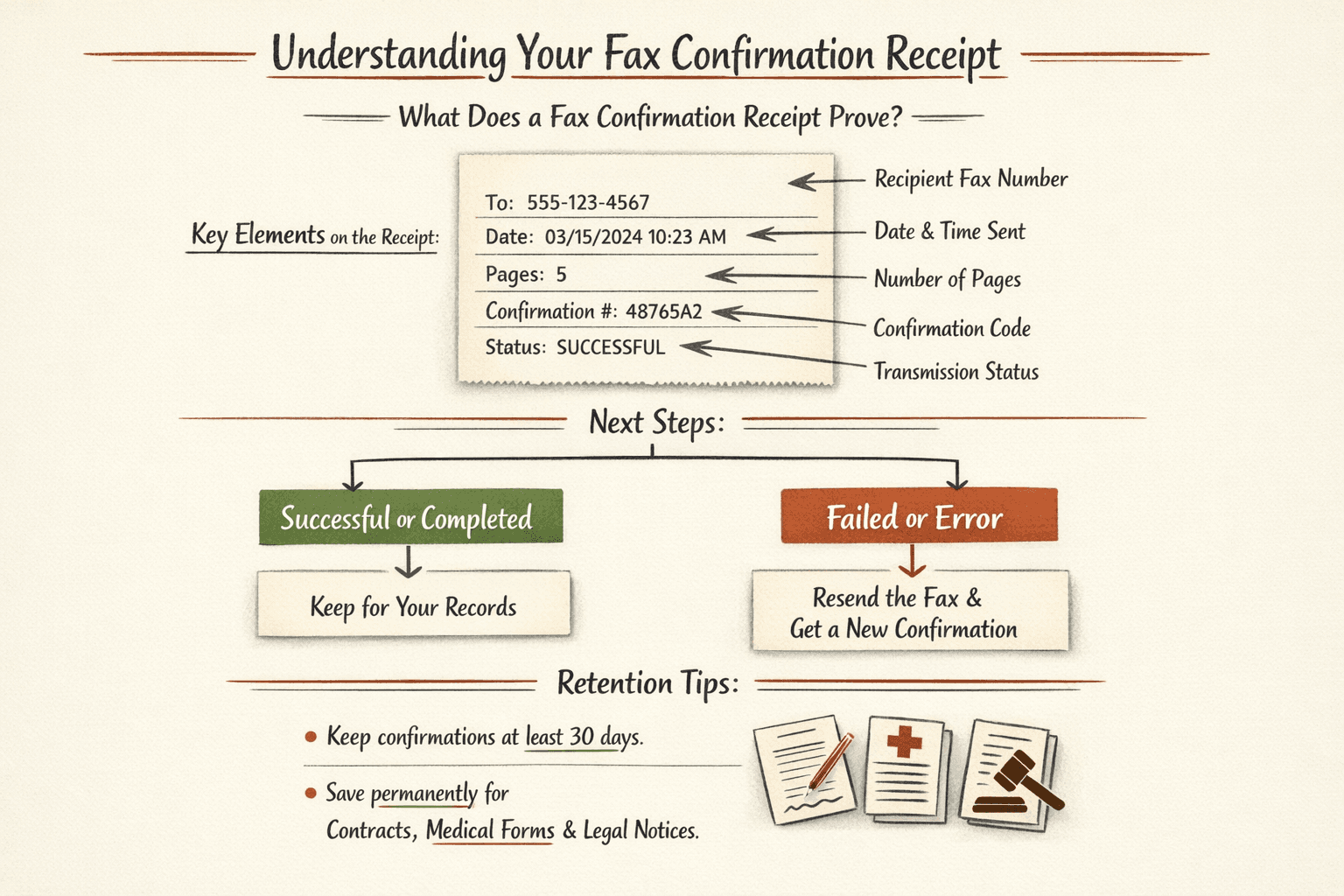
Staples provides a printed confirmation receipt when your fax transmits successfully. This slip shows the recipient’s fax number, date/time sent, number of pages, and confirmation code.
What to do with your confirmation:
- Keep it for at least 30 days — useful if the recipient claims they didn’t receive your fax
- Check the status line — it should say “Successful” or “Completed”; if it says “Failed” or “Error,” the fax didn’t go through
- Retry immediately if it fails — transmission errors happen (busy signal, paper jam on the recipient’s end). Just re-send the fax and get a new confirmation
Standard practice for important documents (contracts, medical forms, legal notices) is to keep fax confirmations permanently. FedEx Office and other providers follow the same confirmation process—it’s the closest thing to proof of delivery for fax.
Can You Receive a Fax at Staples?
No, Staples does not offer incoming fax reception for walk-in customers. The self-service machines are send-only—you can fax out, but there’s no way for someone to fax you at a Staples location and pick it up later.
If you need to receive a fax, FedEx Office accepts incoming faxes for customers at their store locations, though you’ll need to arrange this in advance. For one-time receiving needs, online fax services like Fax.Plus or eFax give you a dedicated fax number that delivers incoming faxes to your email—most offer free trials if you only need it once.
Staples Fax Hours and Availability
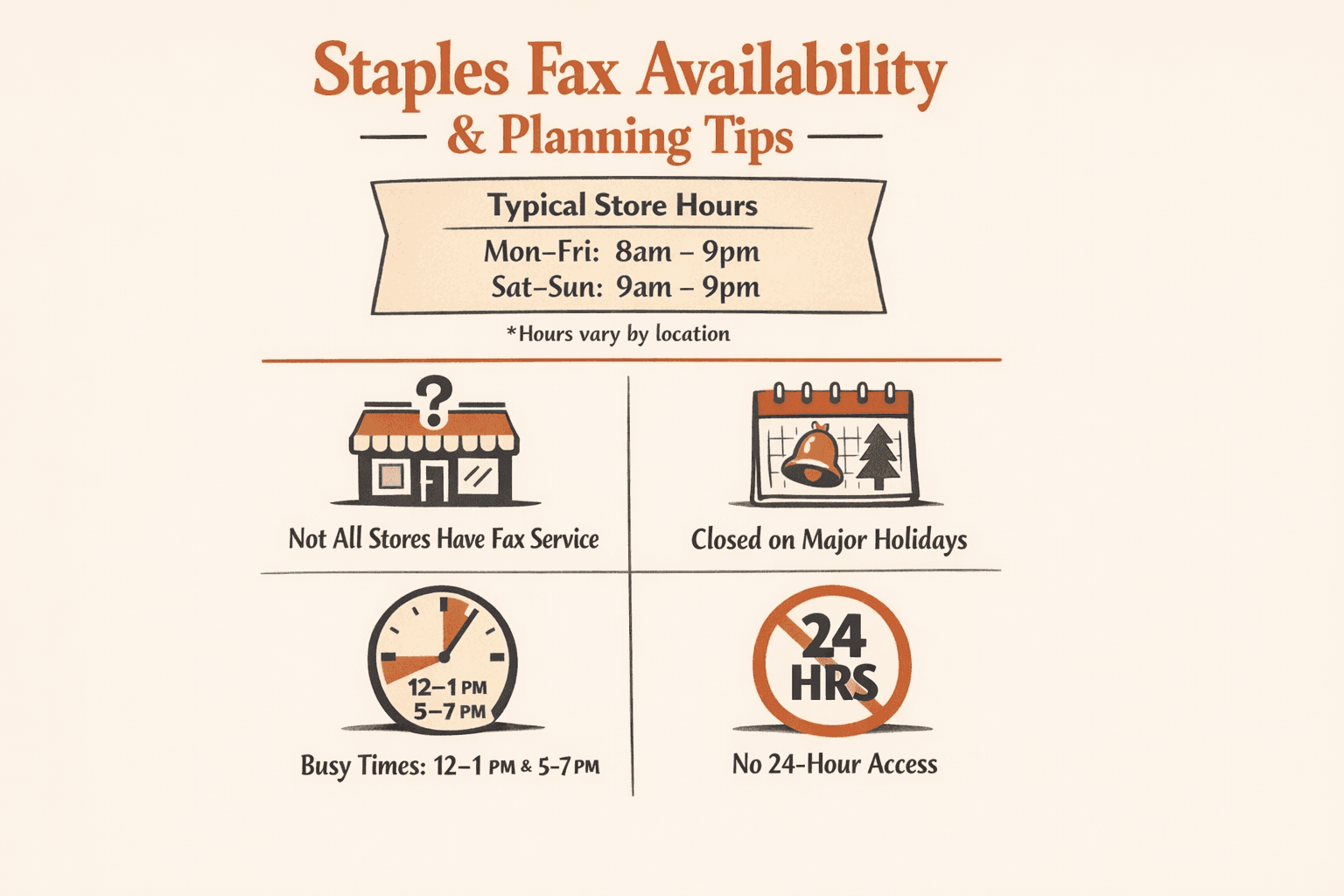
Fax services are available during regular store hours at Staples locations with self-service print machines. Most stores operate 8am-9pm on weekdays and 9am-9pm on weekends, but hours vary by location.
Availability details:
- Store hours vary — check your local Staples hours before visiting
- Holiday closures apply — Staples is typically closed on major holidays (Christmas, Thanksgiving); fax machines are offline when the store is closed
- Not all locations offer fax — smaller Staples stores may not have self-service machines; verify your store has a Business Center or Print & Marketing area
- Peak times to avoid — lunch hours (12-1pm) and after-work (5-7pm) see the longest lines at self-service machines
- No 24-hour access — unlike FedEx Office locations near airports or downtowns, Staples does not offer 24-hour fax access
Call ahead if you’re visiting outside normal business hours or during holidays. The Staples store locator shows exact hours and confirms whether your location has print and fax services.
FAQ
Can You Fax at Staples?
Yes, Staples offers fax services at most store locations through self-service machines in the Print & Marketing area. You can send local, long-distance, and international faxes during store hours.
Can You Send a Fax from Staples?
Yes, you can send a fax from Staples by using the self-service machines in the Print & Marketing area. Bring your documents and the recipient’s fax number, and you’ll get a printed confirmation when the transmission completes.
Does Staples Have a Fax Machine for Public Use?
Yes, Staples provides self-service fax machines in stores with a Business Center. You operate the machine yourself rather than handing documents to a staff member—just load your pages, enter the fax number, and pay at the machine.

Written by
Bernard Bado
I created ThirtyFax after needing to send a single fax and refusing to pay for a monthly subscription to do it. I write here about faxing, document workflows, and the surprisingly stubborn role fax still plays in modern business.
View author profile